
Why a WiFi Outdoor Socket is Your New Backyard Hero
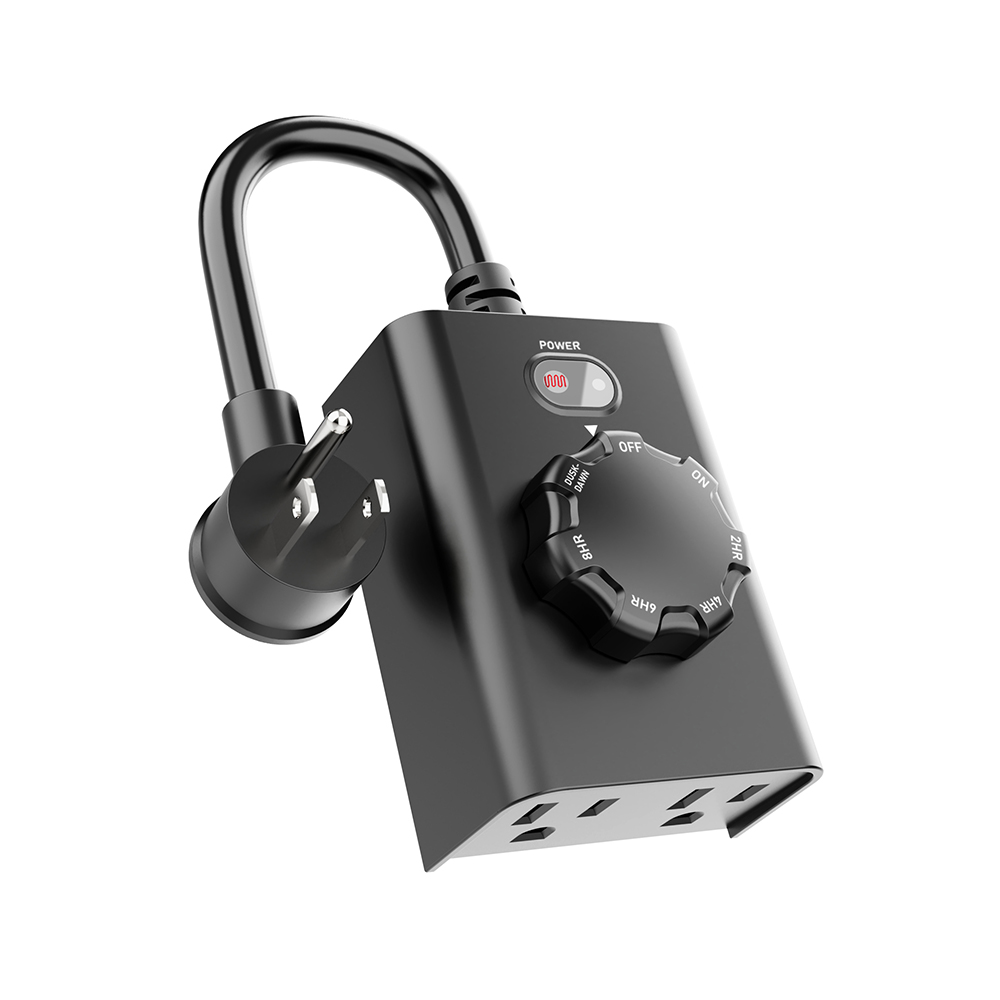
Let’s talk about the game-changer: the WiFi outdoor socket. This clever little upgrade isn’t just another gadget; it’s the key to a smarter, safer, and significantly more effortless outdoor living space.
What Exactly is a WiFi Outdoor Socket?
Simply put, it’s a weatherproof electrical outlet designed for outdoor use that connects directly to your home Wi-Fi network. Therefore, it transforms your ordinary outdoor plug into a smart device you can control from anywhere. Think of it as: giving your garden, patio, or driveway a direct line to your smartphone or voice assistant. Unlike basic outdoor timers, this smart socket brings intelligence and remote access right to your fingertips.
Superpowers Unleashed: Key Features & Benefits
So, what magic can this little box actually perform? Let’s dive in:
-
Remote Control, Rain or Shine:
-
Feature: Control the power to anything plugged into it using a dedicated app on your smartphone or tablet.
-
Benefit: Turn landscape lighting on as you drive home, switch off the fountain from your couch, or activate holiday decorations without braving the cold. Essentially, your outdoor power is always within reach, no matter where you are.
-
-
Scheduling Made Simple:
-
Feature: Set precise schedules for your devices to turn on and off automatically.
-
Benefit: Program your path lights to illuminate at dusk and turn off at dawn. Schedule the pond pump to run only during off-peak energy hours. Automate festive lights for specific evenings. Consequently, you save time, energy, and money effortlessly. No more manual switching or forgotten devices!
-
-
Voice Command Convenience:
-
Feature: Integrate with popular voice assistants like Alexa or Google Assistant (compatibility varies).
-
Benefit: Simply say, “Hey Google, turn on the patio lights,” or “Alexa, turn off the water feature.” It’s hands-free control at its most convenient, perfect when your hands are full with gardening tools or barbecue supplies.
-
-
Robust Weatherproof Design (Crucial!):
-
Feature: Built to withstand rain, snow, dust, UV rays, and temperature fluctuations. Look for high IP ratings (like IP66 or IP67) indicating strong protection.
-
Benefit: Naturally, this is non-negotiable for outdoor use. Proper weatherproofing ensures safety, longevity, and reliable operation year-round, giving you peace of mind.
-
-
Energy Monitoring (On Select Models):
-
Feature: Track the energy consumption of devices plugged into the socket via the app.
-
Benefit: Gain insights into how much power your outdoor appliances really use. This helps identify potential energy hogs and make informed decisions to reduce your electricity bill.
-
Beyond Convenience: The Real Impact
Ultimately, a WiFi outdoor socket isn’t just about fancy tech; it solves real problems:
-
Enhanced Security: Automate lights to deter intruders by creating the appearance of an occupied home.
-
Safety First: Remotely turn off potentially hazardous devices (like power tools or heaters) if you forgot or if weather turns bad.
-
Peace of Mind: Check if you left something on while away from home and switch it off instantly.
-
Effortless Ambiance: Create the perfect outdoor mood lighting for gatherings without constantly fiddling with switches.
-
Watering Wisdom: Automate irrigation pumps or systems efficiently.
Choosing Your Perfect Outdoor Ally: Key Considerations
Ready to get one? Before you click “buy,” keep these points in mind:
-
Weather Resistance is King: Always prioritize a high IP rating (IP65, IP66, IP67). This is the most critical factor for safety and durability outdoors. Check the specifications carefully.
-
Wi-Fi Range Matters: Ensure the socket’s location falls within a strong signal from your home router. Thick walls or long distances can weaken the connection. If necessary, consider a Wi-Fi extender.
-
App Compatibility & Ease of Use: Download the app first and check reviews. You’ll want an intuitive, reliable interface for smooth scheduling and control.
-
Voice Assistant Harmony: If voice control is important to you, confirm compatibility with your preferred ecosystem (Alexa, Google Assistant, etc.).
-
Power Capacity: Make sure the socket can handle the wattage requirements of the devices you plan to plug in (e.g., space heaters or powerful tools need robust sockets).
-
Installation Simplicity: Most plug directly into an existing outdoor outlet. However, ensure you have a suitable GFCI-protected outlet available where you need it. For hardwired options, always consult a qualified electrician.
Getting Started: Simple Steps to Smarter Outdoors
-
Find the Spot: Identify the outdoor GFCI outlet where you need smart control.
-
Plug & Secure: Plug the Wi-Fi socket in firmly. Often, they come with covers or locking mechanisms – use them for added weather protection and security.
-
Download & Connect: Install the manufacturer’s app on your phone, create an account (if needed), and follow the in-app instructions to connect the socket to your Wi-Fi network. This usually involves putting the socket into pairing mode.
-
Name & Organize: Give your socket a clear, recognizable name in the app (e.g., “Patio Lights,” “Front Fountain”).
-
Set Schedules & Explore: Dive into the app! Set up your desired schedules, test remote control, and connect to your voice assistant. Finally, sit back and enjoy your smarter outdoor space!
Embrace the Outdoor Upgrade!
In conclusion, a WiFi outdoor socket is a remarkably simple yet transformative addition to your home. It delivers genuine convenience, enhances security, promotes energy efficiency, and adds a layer of modern control to your exterior spaces. Say goodbye to extension cord tangles and manual switch-flipping. Say hello to effortless ambiance, automated tasks, and the peace of mind that comes from managing your outdoor power smartly, safely, and from anywhere. Ready to make your outdoors work smarter for you? It might just be the best small upgrade you make this year!



