
WiFi Dimmer: Transform Your Home Lighting
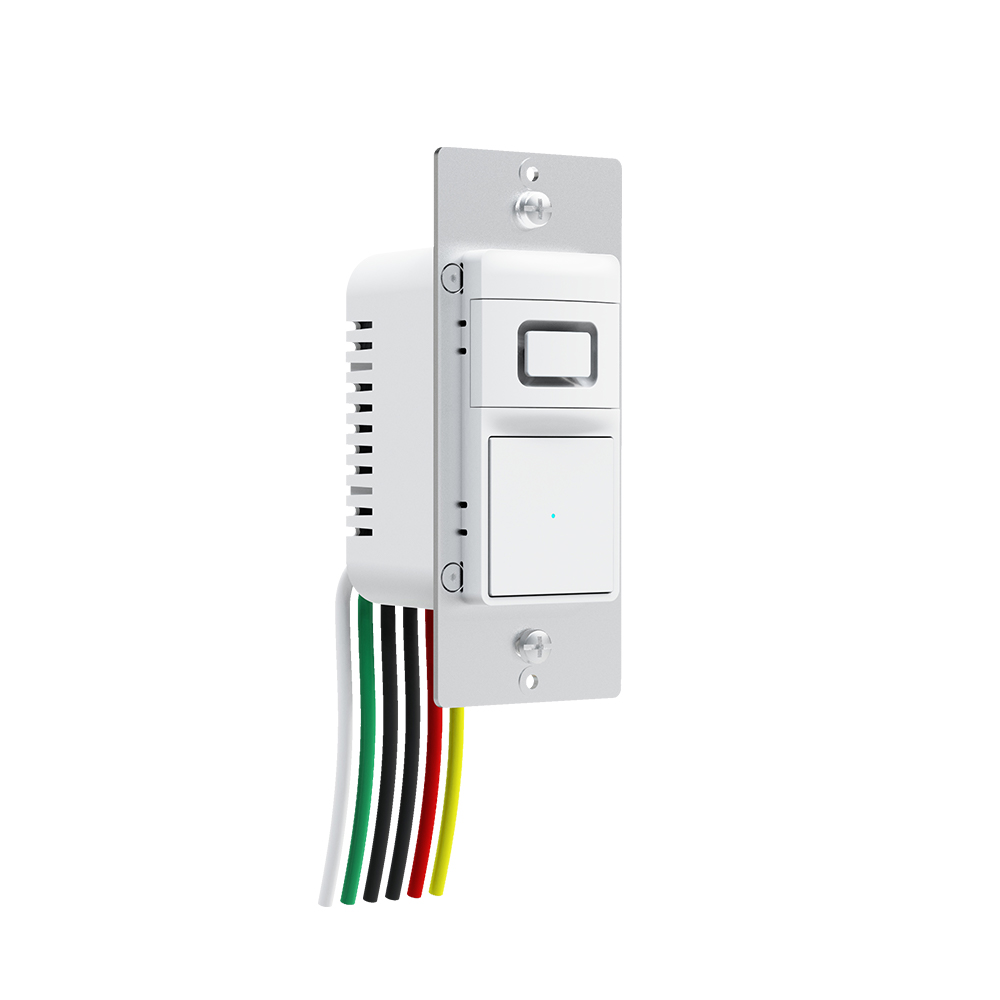
WiFi dimmer has become a favorite for homeowners looking to control their lighting with ease and style. Whether you want to set the perfect mood for movie night or save energy without sacrificing comfort, a WiFi dimmer can make a huge difference.
What is a WiFi Dimmer?
WiFi dimmers are modern lighting control device that allows you to adjust the brightness of your lights remotely using a smartphone, tablet, or voice assistant. Unlike traditional dimmers, which require you to manually twist a knob or slide a lever, WiFi dimmers give you the flexibility to control your lights from anywhere.
With a WiFi connection, you can create schedules, automate lighting scenes, or even integrate the dimmer with other smart home devices for a fully connected experience. This makes it ideal for both energy-conscious users and those who simply love convenience.
Benefits of Using a WiFi Dimmer
The appeal of a WiFi dimmer goes beyond simple brightness control. Here are some key benefits that make it a smart choice for any modern home:
-
Energy Savings: By dimming your lights to the exact level you need, you can reduce energy consumption and lower your electricity bills.
-
Convenience: Adjust your lighting without leaving the couch or even when you’re away from home.
-
Mood Lighting: Create the perfect ambiance for dinners, parties, or relaxing evenings with precise control over light intensity.
-
Integration with Smart Home Systems: Most WiFi dimmers are compatible with popular smart home ecosystems, allowing you to control your lighting alongside thermostats, security systems, and more.
How to Choose the Right WiFi Dimmer
Selecting the best WiFi dimmers for your home may seem overwhelming at first, but a few key factors can guide your decision:
-
Compatibility: Make sure the dimmer works with your existing bulbs—LED, incandescent, or smart bulbs.
-
App Features: Look for dimmers with a user-friendly app that offers scheduling, scenes, and remote access.
-
Voice Control: If you use Alexa, Google Assistant, or Siri, ensure the dimmer supports voice commands.
-
Installation: Some dimmers require professional installation, while others can be easily set up by homeowners.
Installation Tips for a WiFi Dimmer
Installing a WiFi dimmer is often straightforward, especially if you have some basic knowledge of home wiring. However, there are a few tips to ensure smooth setup:
-
Turn Off Power: Always switch off the circuit breaker before installation to avoid electric shock.
-
Check Wiring: Identify the live, neutral, and ground wires, and make sure your dimmer is compatible.
-
Follow Instructions: Use the manufacturer’s installation guide carefully. Many WiFi dimmers also include QR codes to quickly pair with your app.
-
Test Your Setup: Once installed, test the dimmer manually before connecting it to your smart home app.
Final Thoughts
A WiFi dimmer is more than just a convenience—it’s a tool that enhances your daily life, saves energy, and elevates your home environment. With its blend of smart technology, customizable settings, and ease of use, it’s no wonder that WiFi dimmers are becoming a staple in modern homes.



